This Boardcast is sponsored by Board Game Beat. Become a supporting member today!
The Boardcast is audio narrations of select articles. Listen to all episodes (or find out how to get them in your favorite podcast app) here.
Prototype+ members can access an ad-free version here. You can also listen on your favorite podcast app using the private invite and link you received via email. Lost your link? Email admin@wericmartin.com.
I spent fifteen years as an employee of BoardGameGeek, and I've been a user of the site since October 2003, so I have a fair amount of experience with BGG, both inside and out. In this article, I'll present an overview of BGG, detail aspects of the site with which you might not be familiar, and suggest ways for publishers and creators to get the most out of it — which will ideally help other users get a lot from the site as well.
Game Listings
Let's start with what BoardGameGeek is: As posted on the wiki's welcome page, BGG is "an online resource and community that aims to be the definitive source for board game and card game content".
The "online resource" aspect of BGG will likely be obvious. At heart, BGG is a database of board games and card games, and if you browse the database, you'll find a list of these games organized by their rank — a term we'll get back to later. As of February 26, 2026, a date that applies to every number and image included below, the database has listings of more than 174,300 items. (Each page defaults to listing one hundred items, and as you can see from the circled area in the screenshot, the site requires 1,744 pages to list all of these items.)
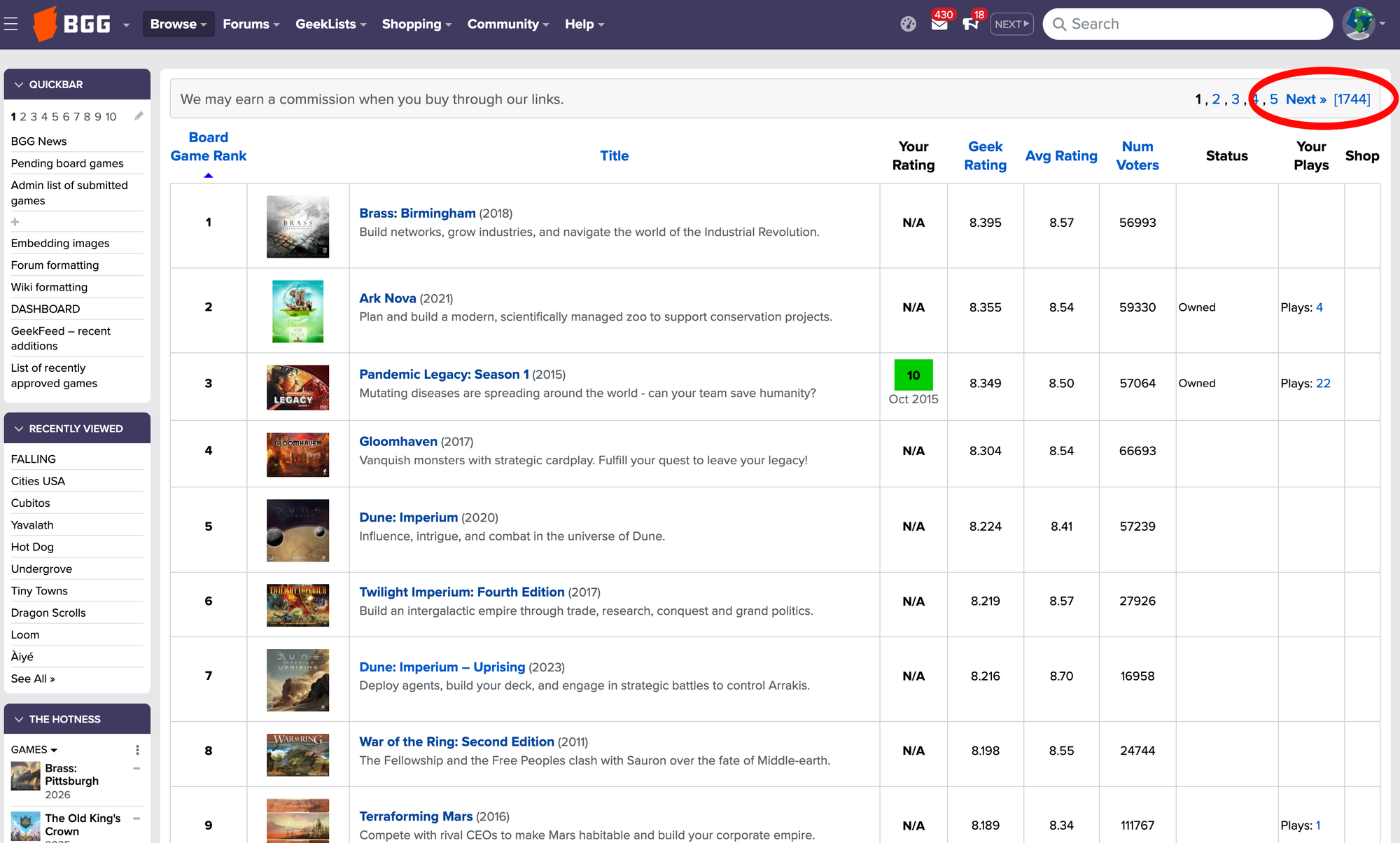
You can click the blue numbers in the upper right to look at page 2 of this ranked game list, page 3, and so on, or you can modify the URL on the page to jump to any page you wish. Jump far enough, and you'll see that the BGG database has 30,191 ranked games, with Chutes and Ladders being the worst ranked game.
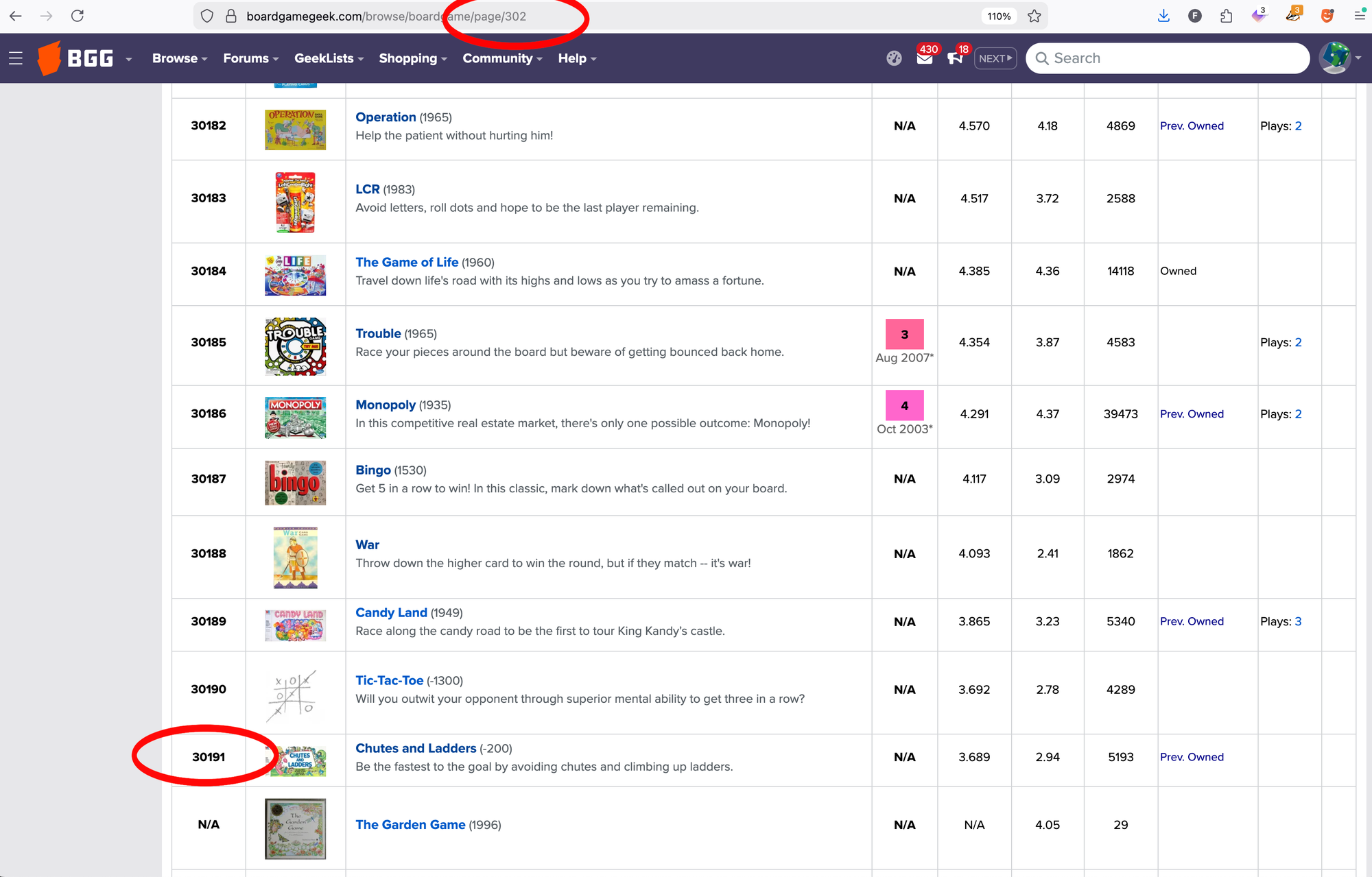
All of the games that follow Chutes and Ladders are listed in order of their BGG game number. You can see a game number only by looking at the URL for that game listing, e.g., the URL for The Garden Game is https://boardgamegeek.com/boardgame/65/the-garden-game. The game number shows the order in which the games were added to the database, ergo The Garden Game was the 65th title added.
(This counting system does not hold up historically. Sometimes a game listing is removed from the database because it turns out that the designer or publisher announced the game, but didn't release it. Sometimes game listings get merged because they featured the same game, but in different languages or in two editions that were essentially the same thing.)
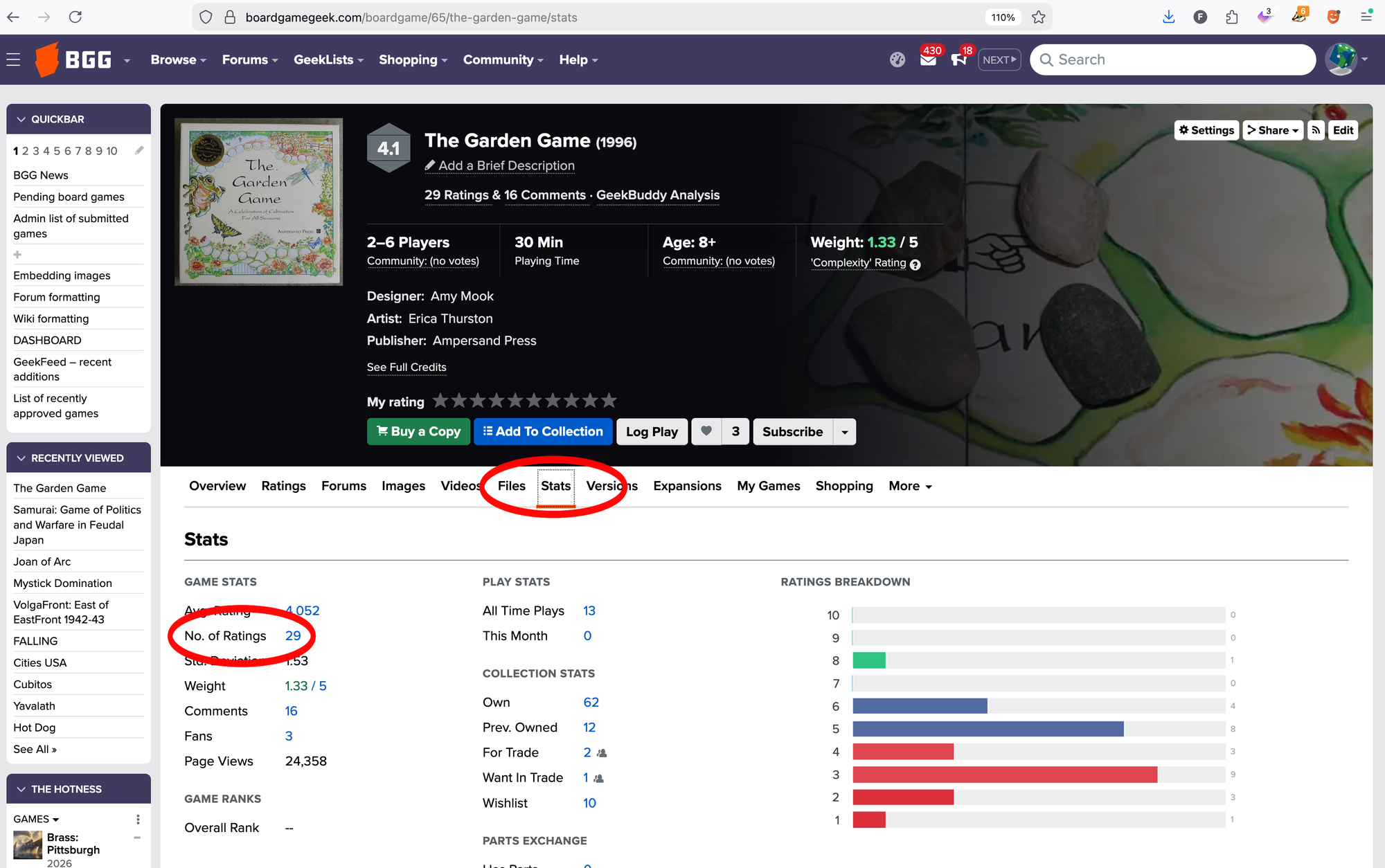
Why isn't The Garden Game ranked? If you go to that BGG game listing, you can click on the STATS tab underneath the main information box to discover that the game has been rated only 29 times. Any game that receives thirty or more ratings will become ranked the next time that part of the database is updated. (Different systems update at different times: some almost instantaneously, some hourly, some daily, and so on.)
Other items in the BGG database that don't get ranked are expansions (since their ratings are almost always higher than their base game due to haters of that base game never playing those expansions) and compilations that include items that are ranked, such as El Grande Big Box, which would likely be ranked higher than El Grande since, once again, those who hate the base game probably aren't checking out the compilation that includes it.
How does a BGG user rate a game? While logged in, they click one of the star values in the main information box on the game listing. When you mouse over a star value, you'll see a short description of what that value represents in BGG terms, with (for example) a 9 meaning "Excellent — very much enjoy playing".
Note that while BGG has suggested interpretations for what the 1-10 ratings mean, any user is free to rate a game any value from 1-10 for any reason. The only restrictions on ratings is that a user must not violate the terms of the site, such as using an automated tool to rate games instead of doing it by hand or having multiple accounts in order to rate a game multiple times. If you see someone rating games in a way that seems arbitrary, spammy, or vindictive, you should (at most) use the contact form at the bottom of any BGG page to write an admin about the situation. Unless a user is violating site rules, their ratings will remain in place.
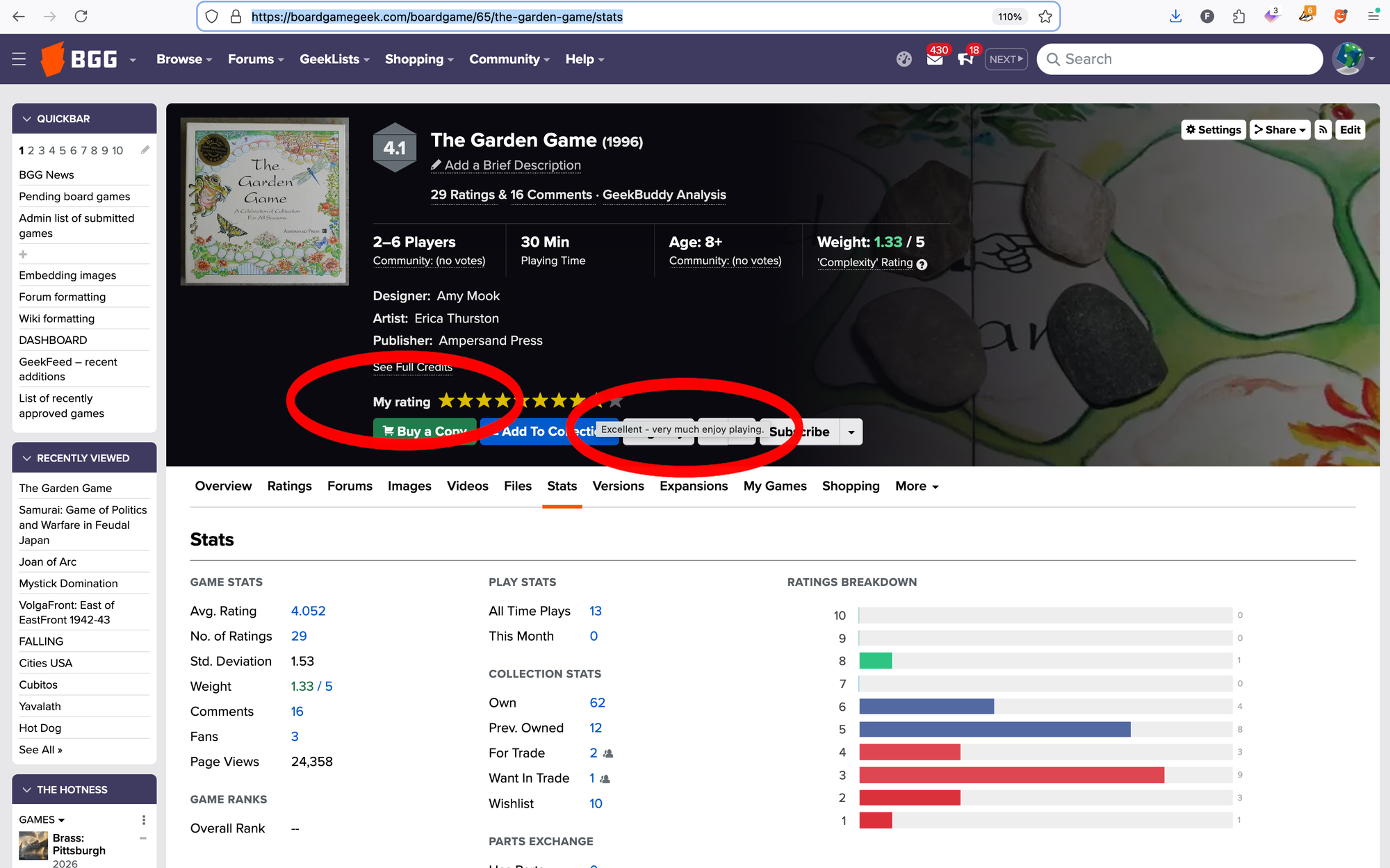
How do games get added to the BGG database? Users submit them — but the method for doing so is not immediately apparent. To do so, click COMMUNITY in the dark blue navigation banner at the top of any page, then under CONTRIBUTE, click "Board game". (If you're on a mobile device, click the hamburger in the upper-left corner to open the nav bar.)
Doing so will bring you to a game listing submission form that features more than thirty fields to be filled in, although only eight of these fields are required to be filled.
As I mentioned, any user can submit a game listing, and the quality of that submission will vary depending on how much that user knows about that game. If you represent a game publisher or work for one, I highly recommend that you be the one who submits listings for your games to the BGG database. After all, you (ideally) know the game better than anyone else, possibly including the game designer since designs are often modified during development, and you have details about that game that will matter to BGG users: the player count, the playing time, the suggested age, the release date, the creators, the rule languages included, and so on.
Why is submitting game listings important? Two reasons: First, BGG regularly has about six million unique visitors a month, with half of those being from the U.S. The number of people who play games worldwide is far larger than six million, of course, but you're unlikely to find an audience of dedicated gamers of this size elsewhere on a regular basis.
Second, BGG performs incredibly well in search engines, so anyone searching for information about your game after seeing it in a store, at a convention, at a friend's house, or on social media will likely find BGG in their results.
As a publisher or creator, submitting a game listing costs only time, and it results in potentially years of free marketing. What's more, once the game listing is live, you can submit images, videos, and rulebooks to that listing, giving site visitors as much info about the game as possible. I frequently see comments on crowdfunding projects for games not listed on BGG that suggest the publisher must be an amateur if their game is absent from the site. Don't put yourself in that position! (I recognize, of course, that time is not an inexhaustible resource. I don't do free things that I could do to promote Board Game Beat because I'd rather spend that time elsewhat. That said, I'm making this argument anyway.)
Subscriptions
BoardGameGeek is a game database, so it's no surprise that having your games listed on the site is important, but an equally important tool is something on the site that's easy to overlook, but which is omnipresent and incredibly powerful, something represented by a tiny bullhorn.
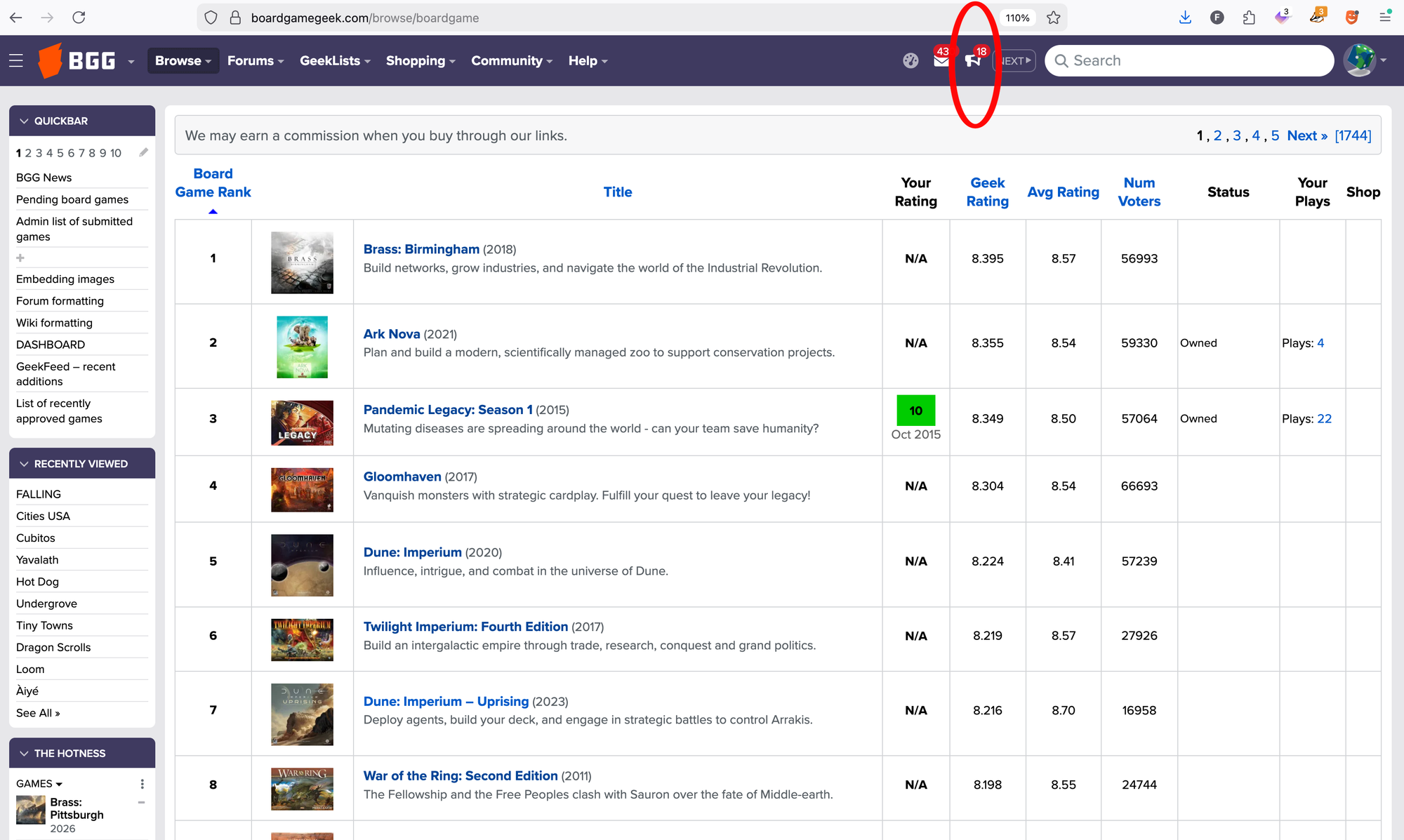
BGG has a customized subscription system that allows a user to subscribe to all sorts of features on the site in order to be notified of updates related to that subscribed-to item, with the most straightforward option being to subscribe to a game listing.
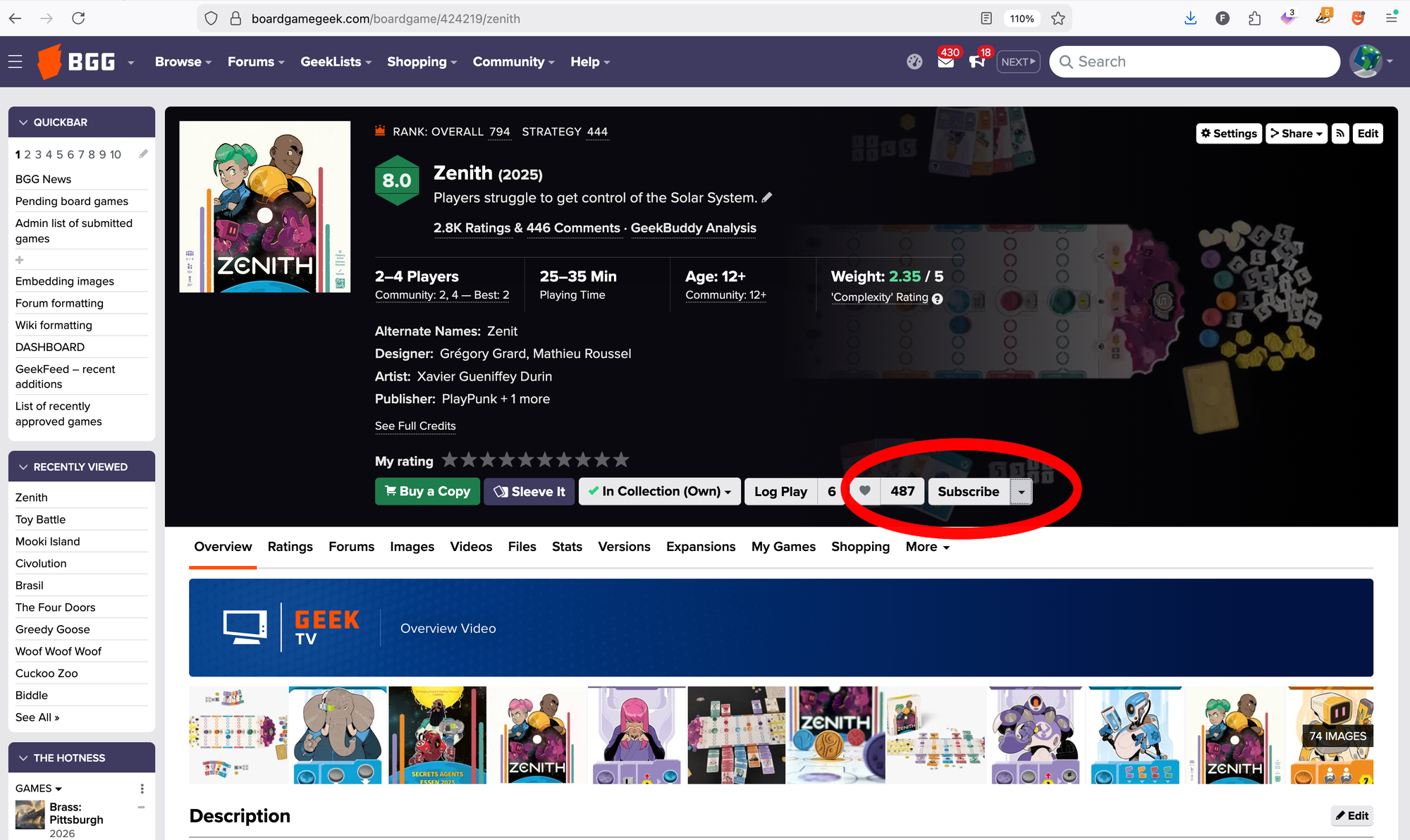
After you click Subscribe on a game listing, you'll receive notifications when someone uploads an image, video, or file to that game listing, when someone posts in that game's forums, when someone lists a copy of that game for sale, and so on. When you click on the bullhorn, you'll be taken to your subscription page and see a reverse-chronological list of all subscription notices.
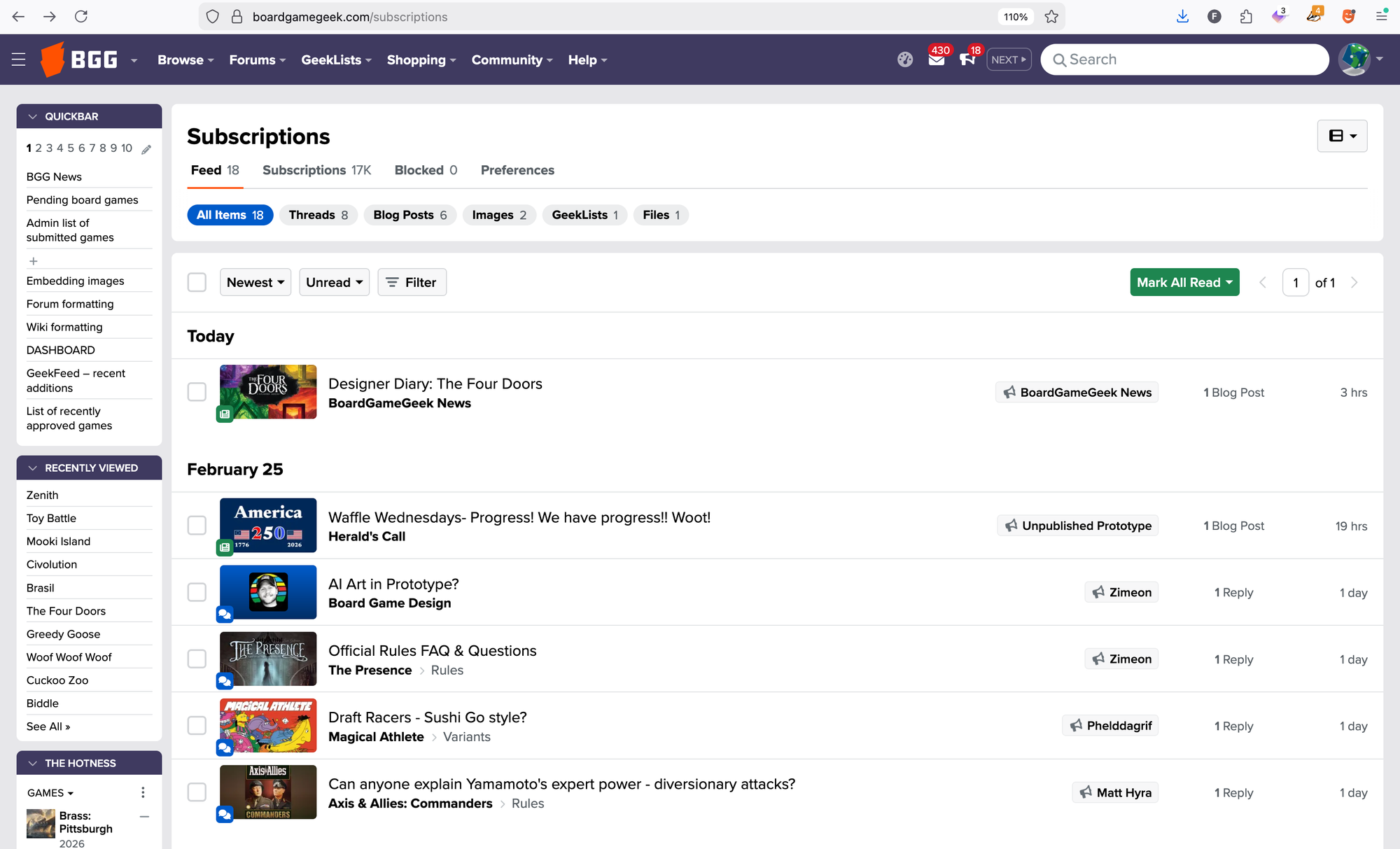
To read something, click on the title, such as "Designer Diary: The Four Doors". If you don't want to read something, mouse over or click on the time period listed in the right-hand column, with the time period being how long that subscribed item has been available on BGG.
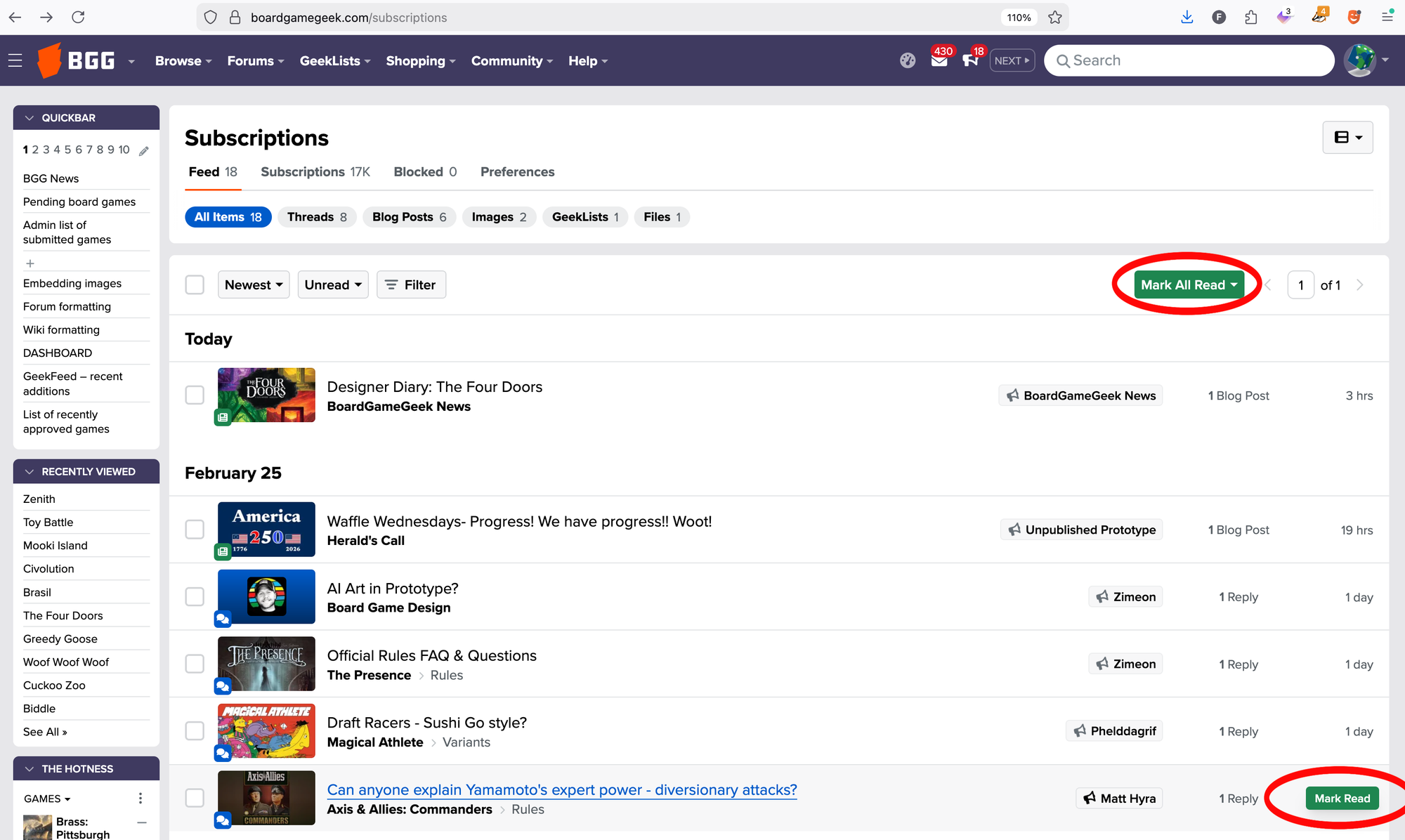
A green "Mark Read" button will pop up. Click this button, and the item will vanish. Click "MARK ALL READ" at the top of the page, and all items will vanish. If you neither click on an item nor click "Mark Read" for that item, the item will vanish from your subscriptions page after thirty days. This keeps the system from needing to track thousands of notices for a single user.
Should you not want to receive every notification possible, which is quite likely given how many are possible, you can click Preferences near the top of the subscriptions page to see the following:
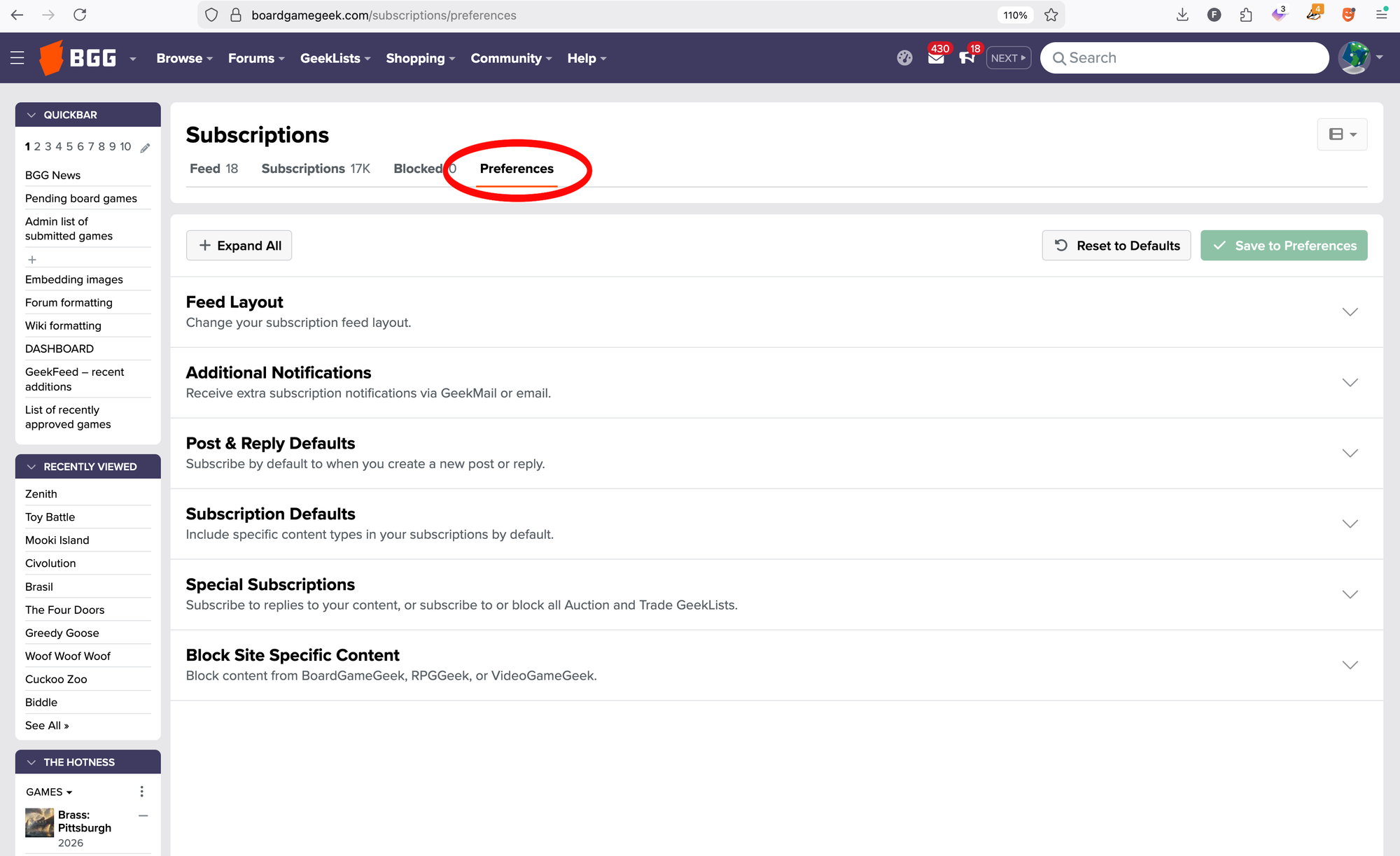
Much of what you see here might not make sense initially, but as you receive subscription notices, you'll start to realize what you do and do not want to be notified about. You might then decide to click "Subscription Defaults" and modify which subscription notices you receive. Here's part of my default set-up:
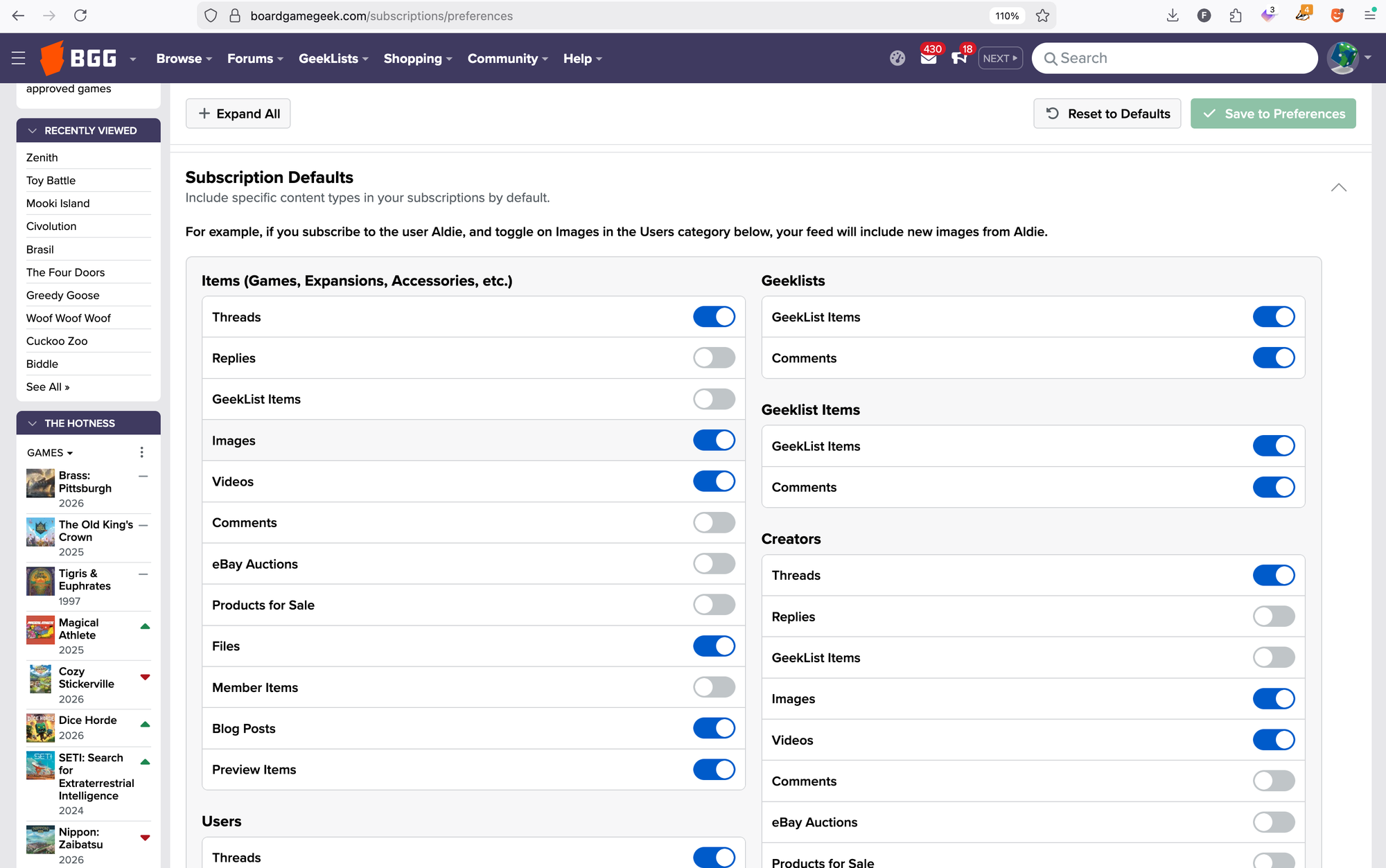
Note, though, that these are default settings. Let's say you don't want to be notified of eBay auctions for most games, but you do want to stay updated about eBay auctions for a particular title. Scroll to the top of the subscriptions page, then click on the Subscriptions subhed to see ALL of your subscriptions, divided up by the type of object being subscribed to.
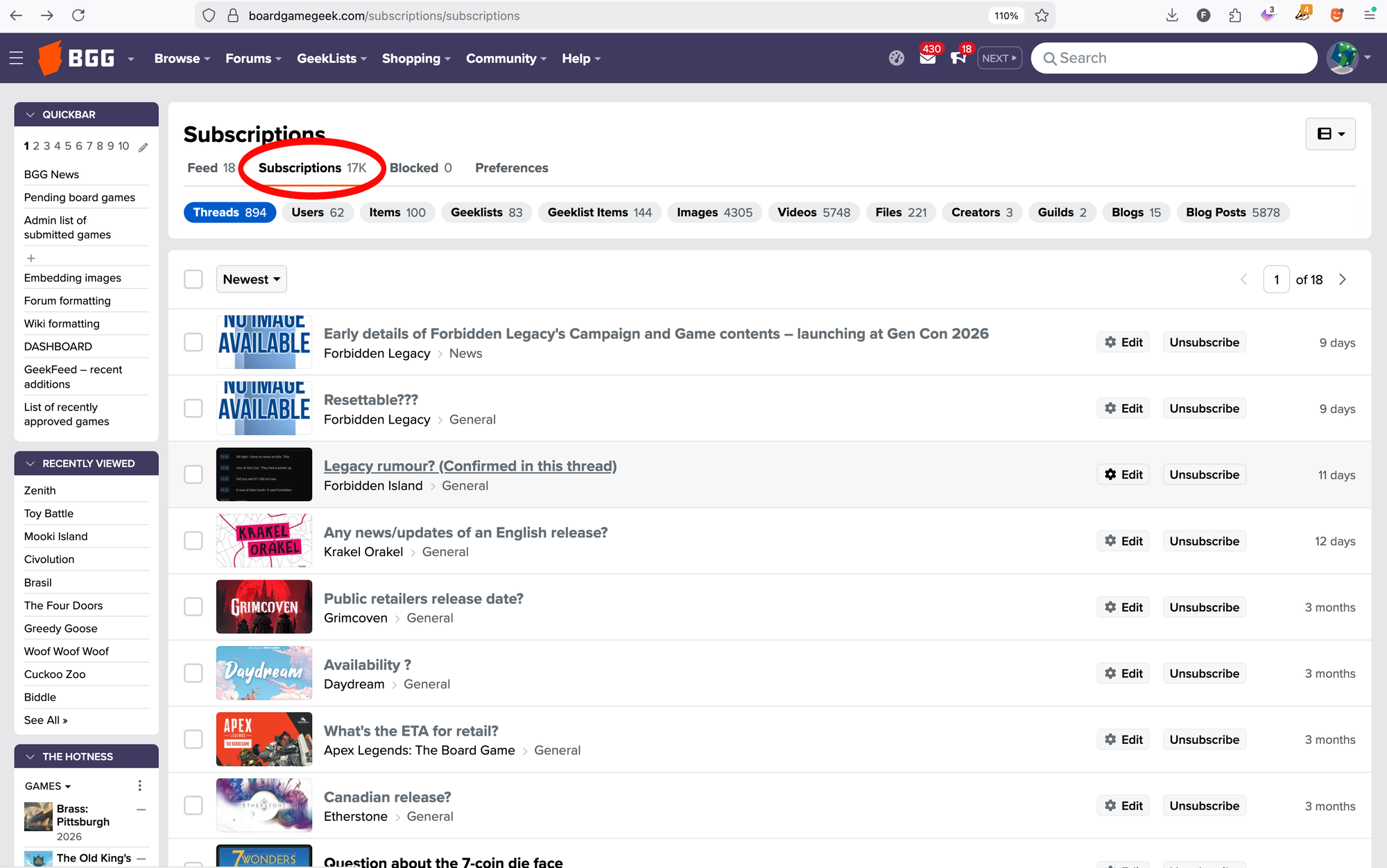
Yes, I'm subscribed to seventeen thousand items. Again, I've been on this site regularly since 2003, and I subscribed to all of the BGG News posts I've published, all of the videos I've uploaded, and so on.
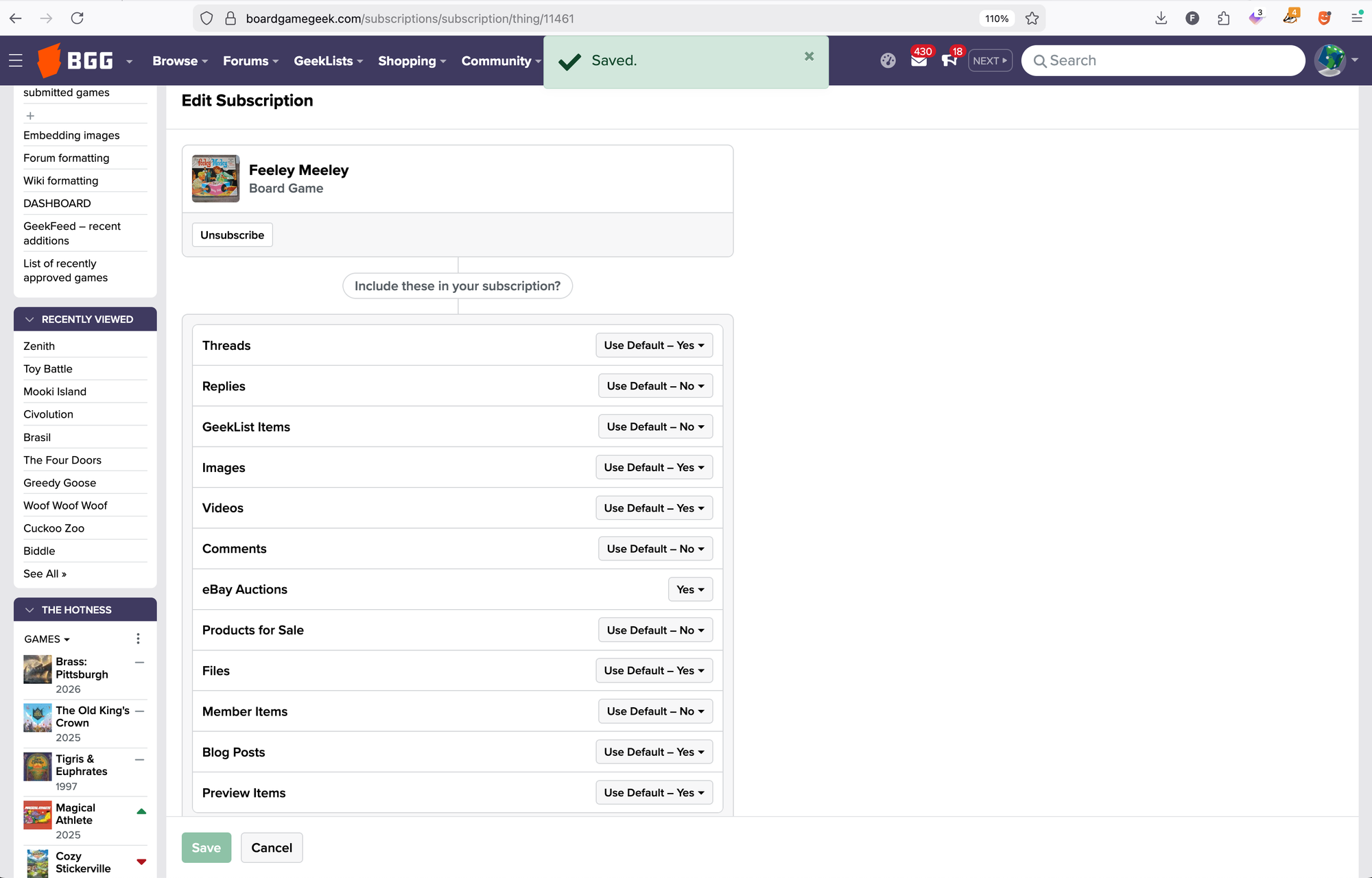
While under the Subscriptions subhed, you can Unsubscribe from an item if you feel you're done with a topic, or you can Edit a subscription to change the settings from your defaults, which is what I've done below. Now if a copy of Feeley Meeley pops up on BGG via an eBay auction, I'll know about it. Phew!
So far I've written only about subscriptions to game listings, but as you can see from the classifications on my summary list of 17,000+ subscriptions, you can also subscribe to any comment thread in a forum; to any publisher; to any designer, artist, or other creator with a database listing; to any video; to any GeekList or individual item on a GeekList; to files, guilds, blogs, and blog posts; even to individual users!
I would argue that BGG's subscription system is the most valuable part of that site because of how widely integrated it is and because of how users can take advantage of it. As a publisher or a creator, you can subscribe to everything you publish or create and receive notifications of every comment, image, video, file, and so on related to those items. If someone posts a review or image, you can thank them; if they post a question, you can answer them. You can thumb up a comment or tip a user GeekGold for listing your game on a "top games of the month" GeekList. You can create a connection with those interested in your games so that they think not just about games in the abstract, but about your games, that is, about games created by people with whom they've been in contact.
I'll confess to being dumbfounded by the number of times I've seen a user create a thread on BGG that addresses a publisher with a complaint about, say, a box insert or color-blindness related issues or with a request for a future update. Why are they posting on BGG instead of writing to that publisher directly? I mean, maybe they are also writing the publisher, but what do they hope to achieve by posting on BGG? You as a publisher or creator might find such things equally baffling, but if you subscribe to your items on BGG, you'll see such posts and be able to respond to them, providing customer service where customers honestly should not expect to be served.
Forums and GeekLists
While the game forums are relatively prominent on BGG, the general forums are less so, even though you can reach them quickly by clicking FORUMS in the dark blue navigation bar at the top of any page, then clicking "All".
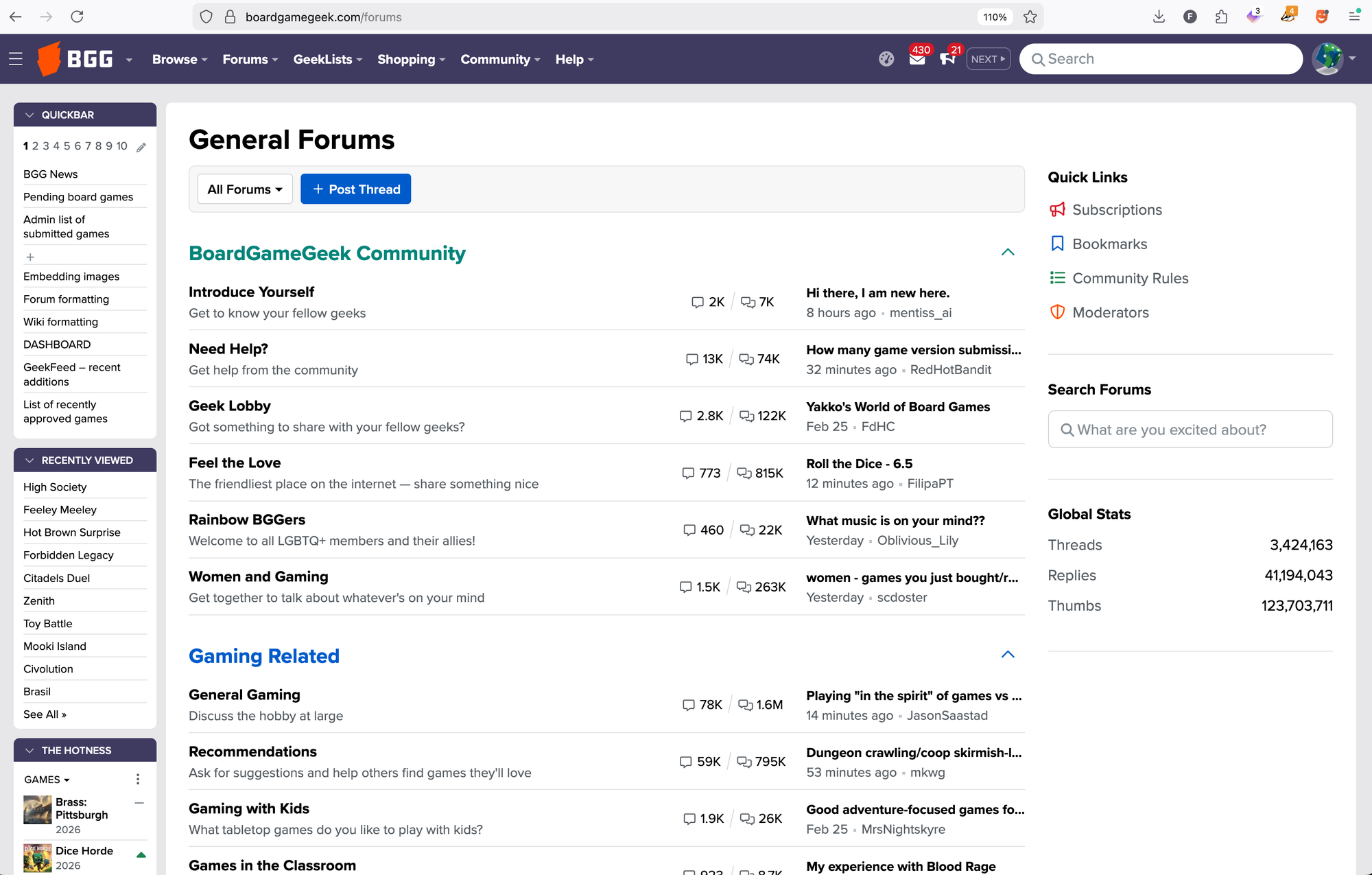
Much of what takes place here is general chitchat, but if you're able to help people — talking about which games worked with your kids, welcoming someone into the community, congratulating someone's crafting skills in the "Do It Yourself" subforum — then kudos to you. You've probably made someone's day better.
Unless a user specifically asks about one of your games, you should not be marketing yourself in the forums, but you can market yourself as a helpful human being, and you can learn things as well: how to take better photos, how to create thumbnails for videos, where to find older games, and much more. The "Board Game Design" subforums are incredibly active, and while I'm not suggesting that you might discover there the perfect design for your catalog, you could offer advice to aspiring designers on particular questions they might have. You are an expert who can help others.
The "Bulletin Board" subforums include a general "Press Release" section and an "Employment Opportunities" section — post your press releases in the former and job openings in the latter. Again, the BGG userbase is deeply invested in exploring games, so you can likely find individuals who are interested in what you're offering or who have what you're looking for.
"Events" and "Regional Gaming" subforums can serve many purposes. Ahead of a trip to Japan, for example, I located groups that met near where I was going to be and asked questions about Tokyo Game Market, which I was attending for the first time.
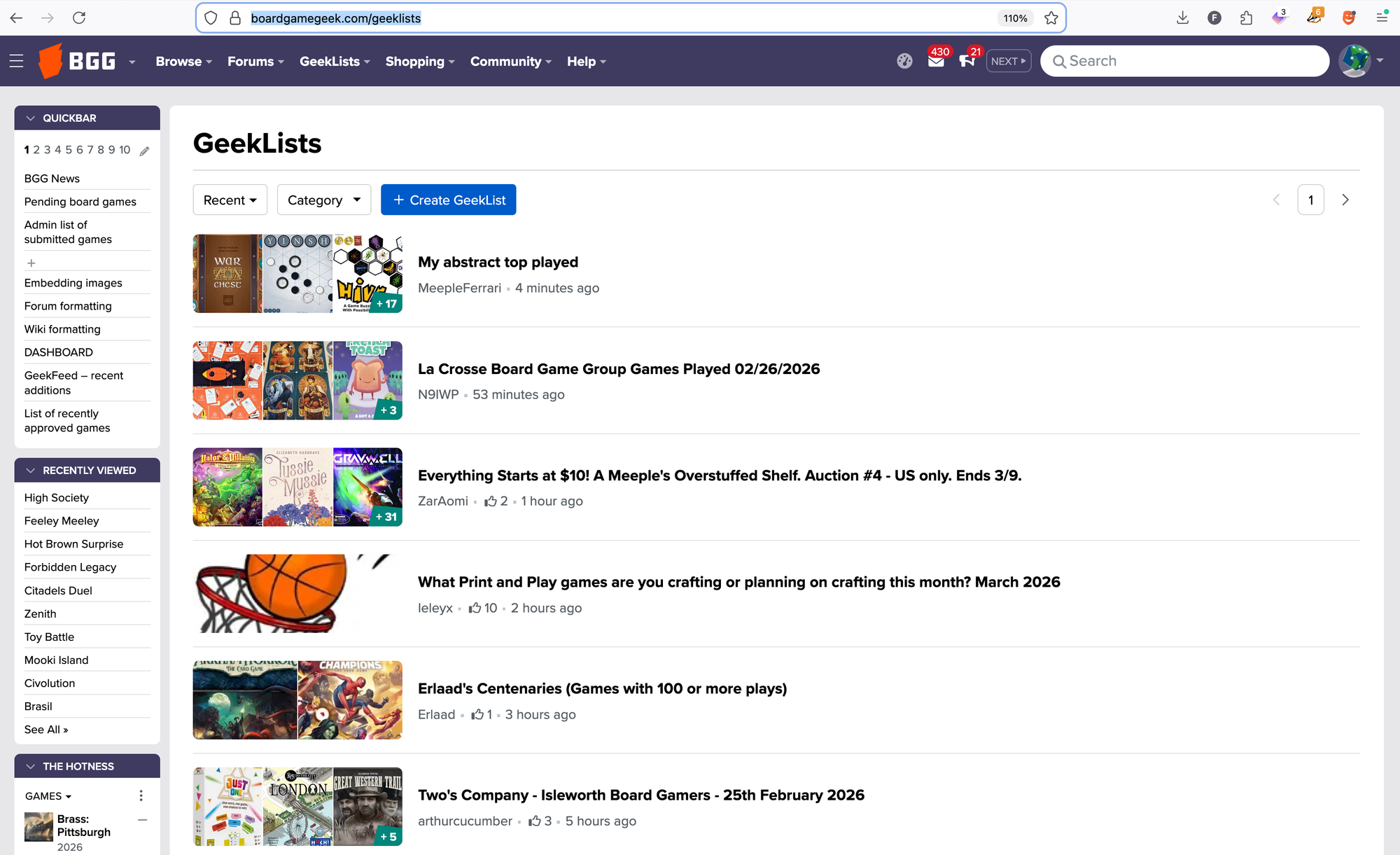
GeekLists are similar to forum posts in that each one is started by an individual user for a specific purpose, but they differ in that in a GeekList the user will link to various items in the BGG database to create the list, often commenting on each item. They can keep the GeekList private to make it more like a diary, make it public so that others can view and comment on their list, or open it to contribitions from others.
When looking at the six "most recent" GeekLists as shown in the image above, you can see the variety of the GeekLists users create: one is auctioning games, one is about game design, two are about favorite games, and two catalog games played at recent events. As with forum posts, these GeekLists are about making connections with others, about sharing experiences and interests.
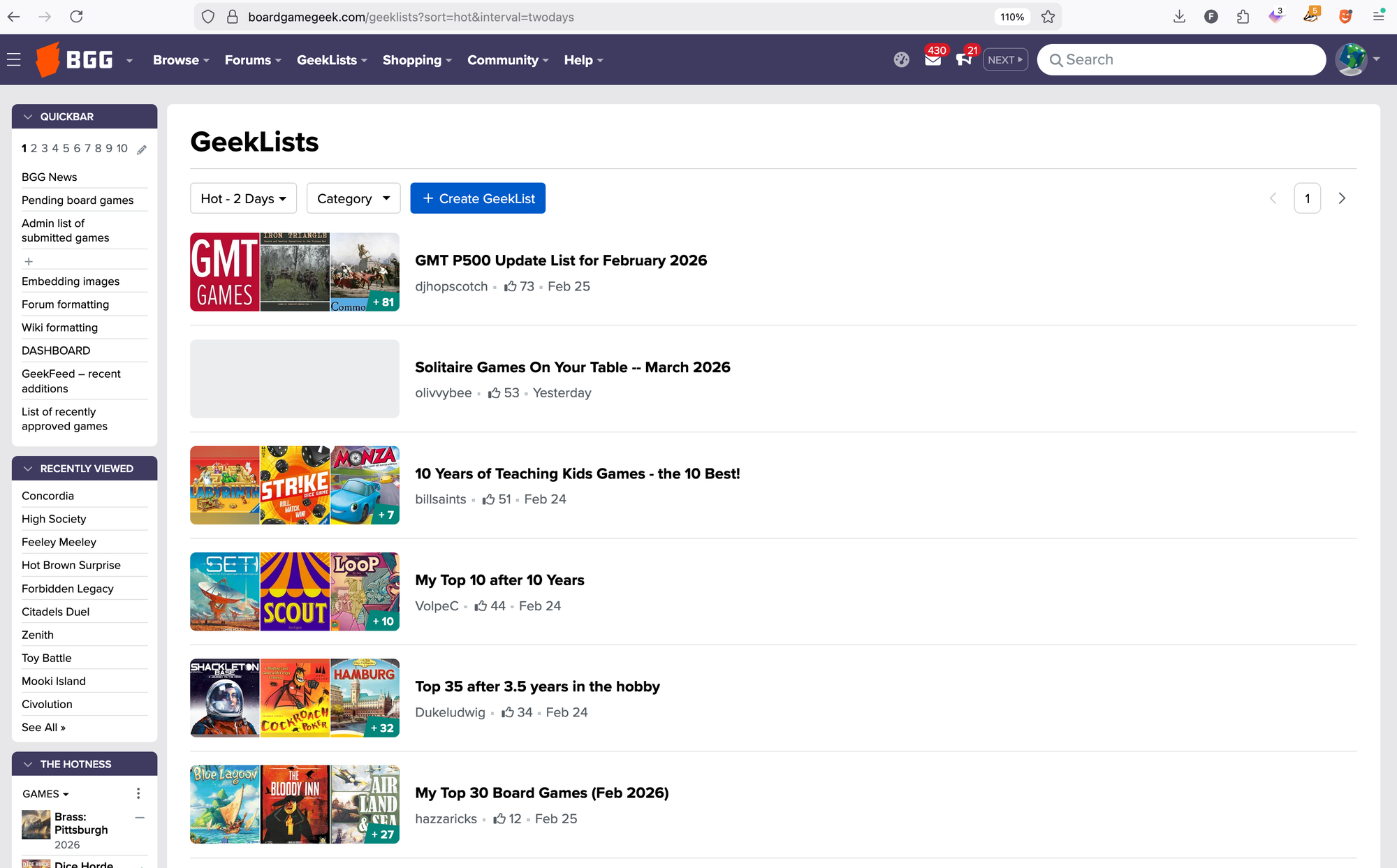
Alternatively, instead of looking for what's recent, you can view GeekLists ranked by "hotness", that is, the number of thumbs received by users who want to express their interest in that list, and you can use the pulldown menu to look at "hotness" over a day, two days, a week, a month, a year, and forever.
GeekLists and forums are a way to sample what gamers are talking about. Given the timeline involved in the production of games, you're probably not going to, for example, see lots of people expressing interest in a game about komodo dragons and therefore decide to sign komodo dragon-based design for publication, but you can skim GeekLists and forums to see what's resonating with gamers and take that into account when deciding which games to feature at conventions, how to market upcoming titles, where to pitch games to retail outlets, which countries might license your releases, and so on.
Maybe, like me, you'll discover a decades-old game that sounds perfect for you, whether personally or for your catalog. Essentially, BGG is constantly updated, user-driven market research. You can't control the questions being asked, but you can see what's getting attention and why, then take that into account in your own business.
And to reiterate what I mentioned earlier, you can subscribe to any forum post, any GeekList, or any item on a GeekList to follow the conversation without needing to remember where to go.
Quickbar
While subscriptions on BGG can serve as an external memory system of sorts, a more direct system available for that purpose is the Quickbar, which has been (unobtrusively?) depicted in most of the screenshots in this article.
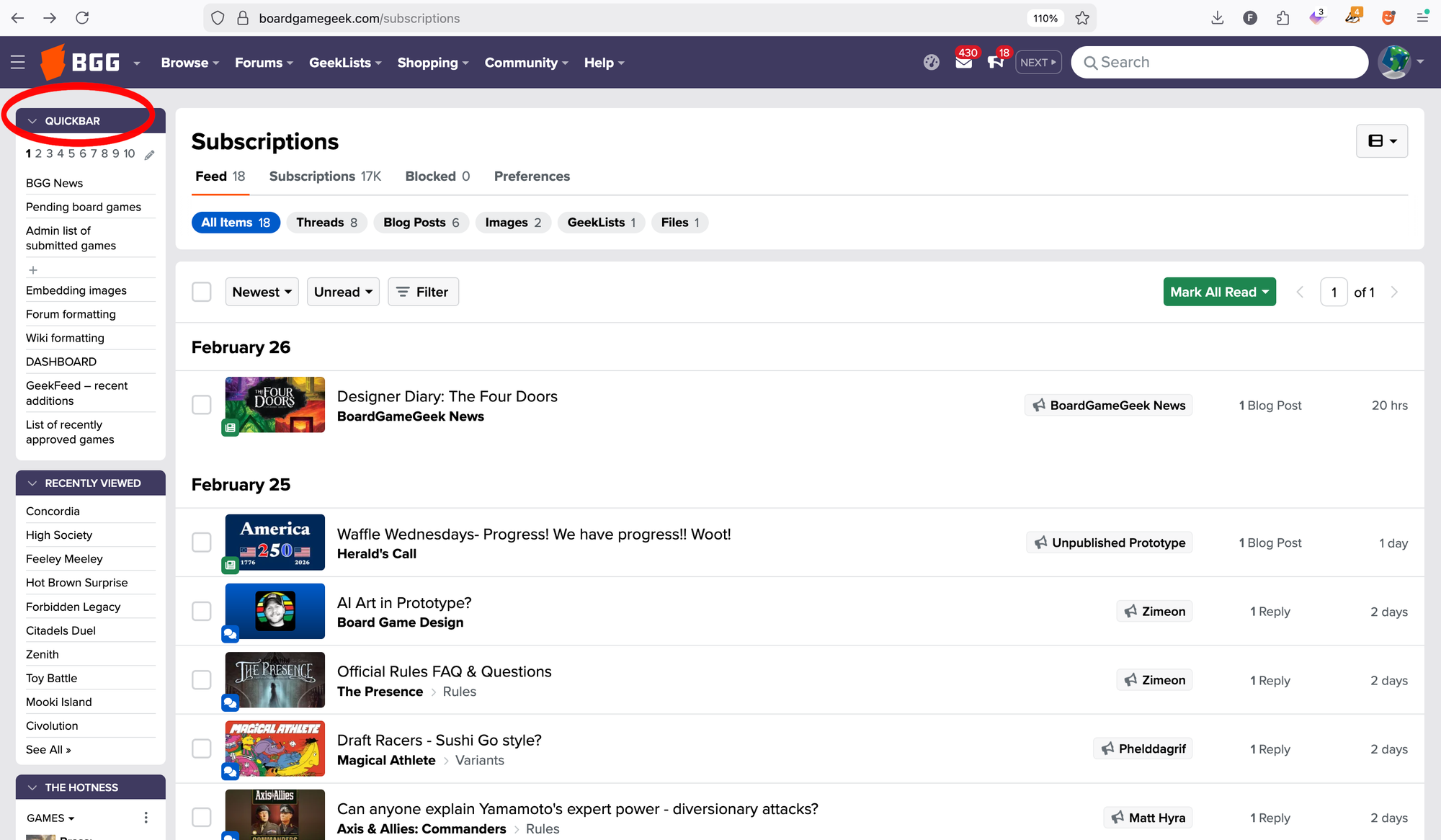
The Quickbar has ten "pages", each with ten slots, and you can use these slots as a bookmarking system on BGG. As you can see in my list, I've saved links to pages that explain how to format forum posts and wiki pages (since I don't find these systems intuitive). I've saved a link to a list of recently approved game listings. Did you know that list existed? Probably not. I don't recall how I found about it, but as soon as I did, I saved it since I'm a guy who writes about new games for a living.
I also have a link to recent additions to the site, which is an overwhelming list of replies, comments, videos, game listings, and so on, with (at this moment) one hundred items having been posted in the past fifteen minutes. If I wanted, I could keep clicking links to explore the previous six thousand-ish items posted over the past seven days. Again, this is a real-time view into what a certain segment of gamers are talking about.
To save a shortcut in the Quickbar, click the + symbol next to an empty slot.
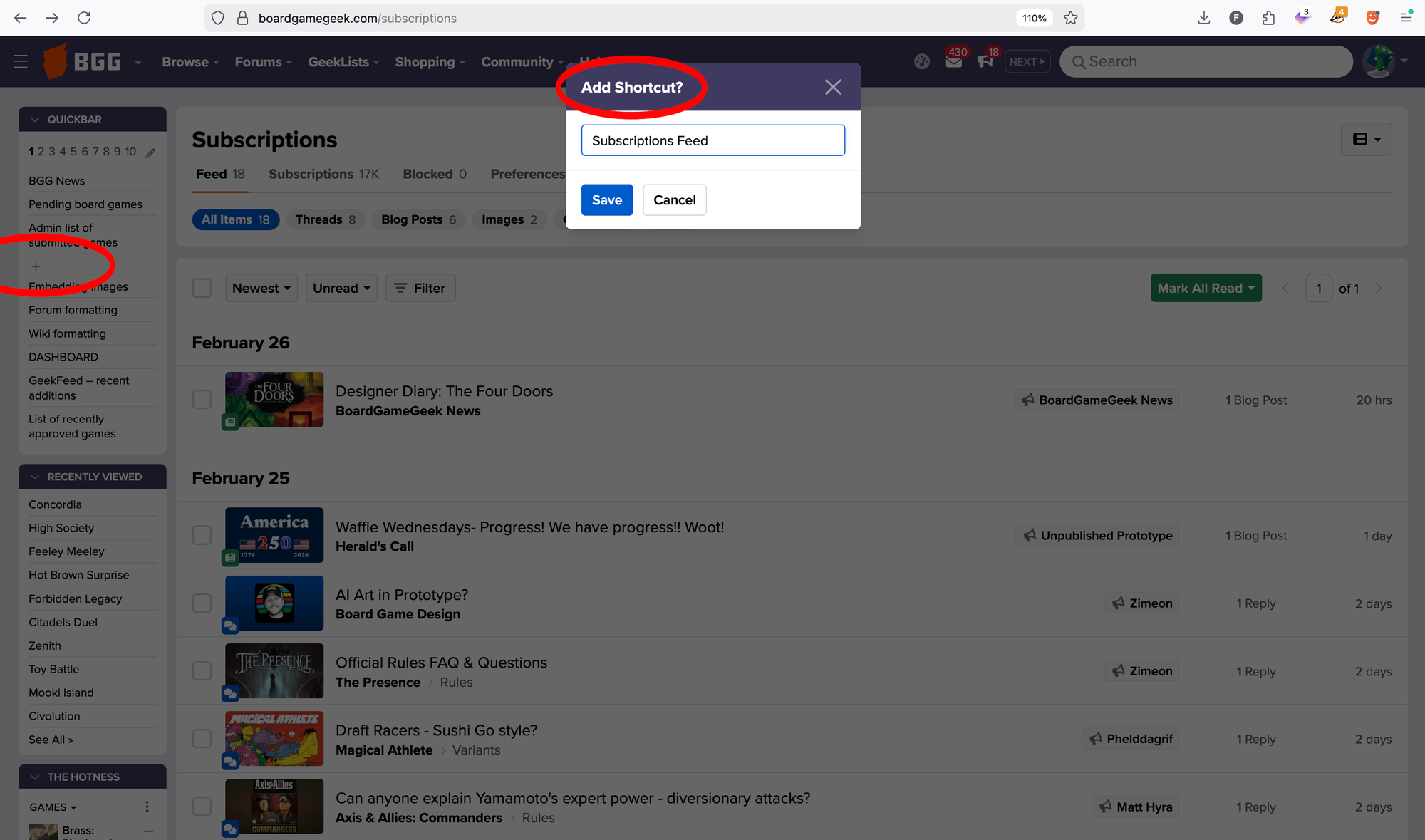
An "Add Shortcut?" pop-up window will appear with a suggested name for the page you're currently on. You can edit that name as you like, then save the link. Click on a number under the Quickbar header to view one of the other pages of saved links.
To edit the links in your Quickbar, click the pencil, which will pop up a screen showing the ten links and their descriptions for the current page from 1-10 that you're looking at.
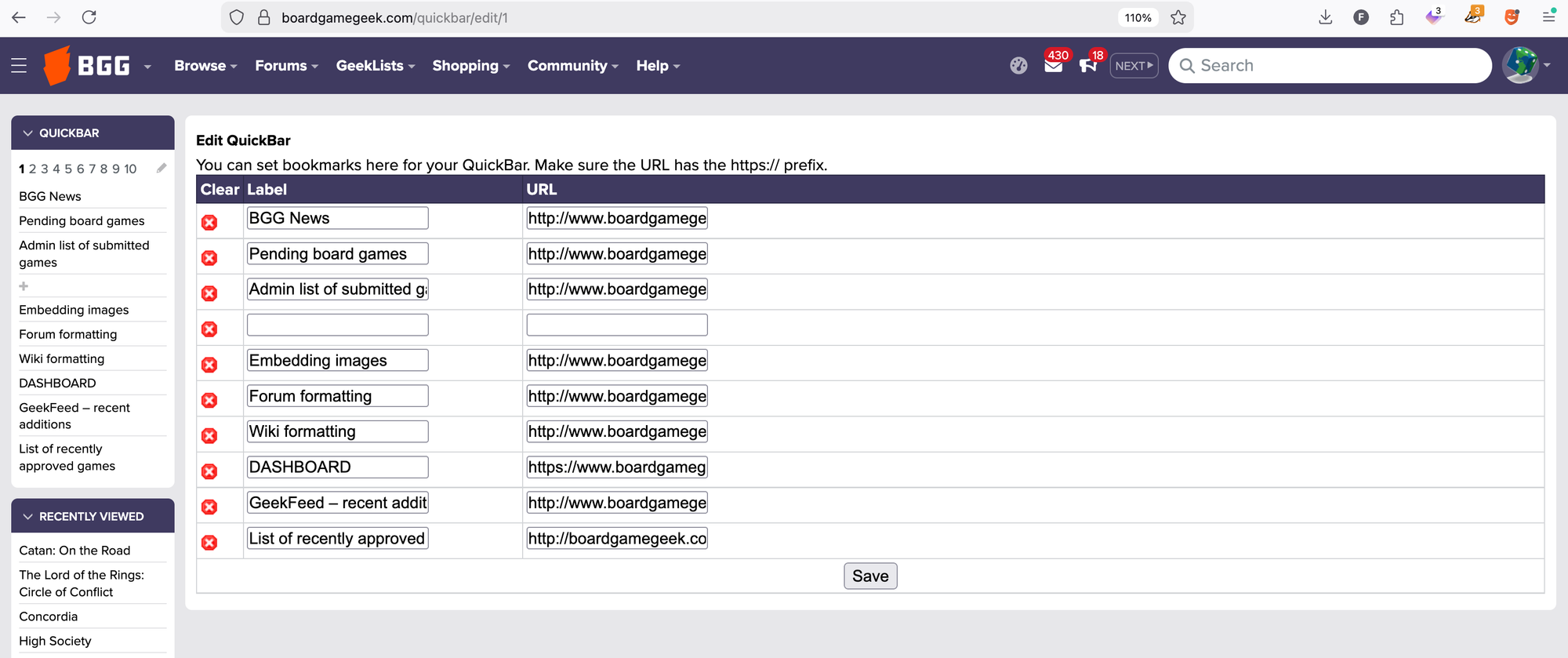
To move a shortcut from one numbered page to another, you need to open different Quickbar edit pages in different browser tabs, which is a pain, but I find I need to do this at most once a year. All of the links I need to use most frequently are on page one, with the other pages holding peripherally useful links, such as to convention previews of years past. I can navigate to these previews directly — click BROWSE in the nav bar, then "Previews", then scroll down to what I need — but since I have the space available, I've saved links to previews from the recent past.
Convention Previews
Speaking of convention previews, after I left BGG in late January 2026, the site has moved to a system in which publishers submit their own info to these lists.
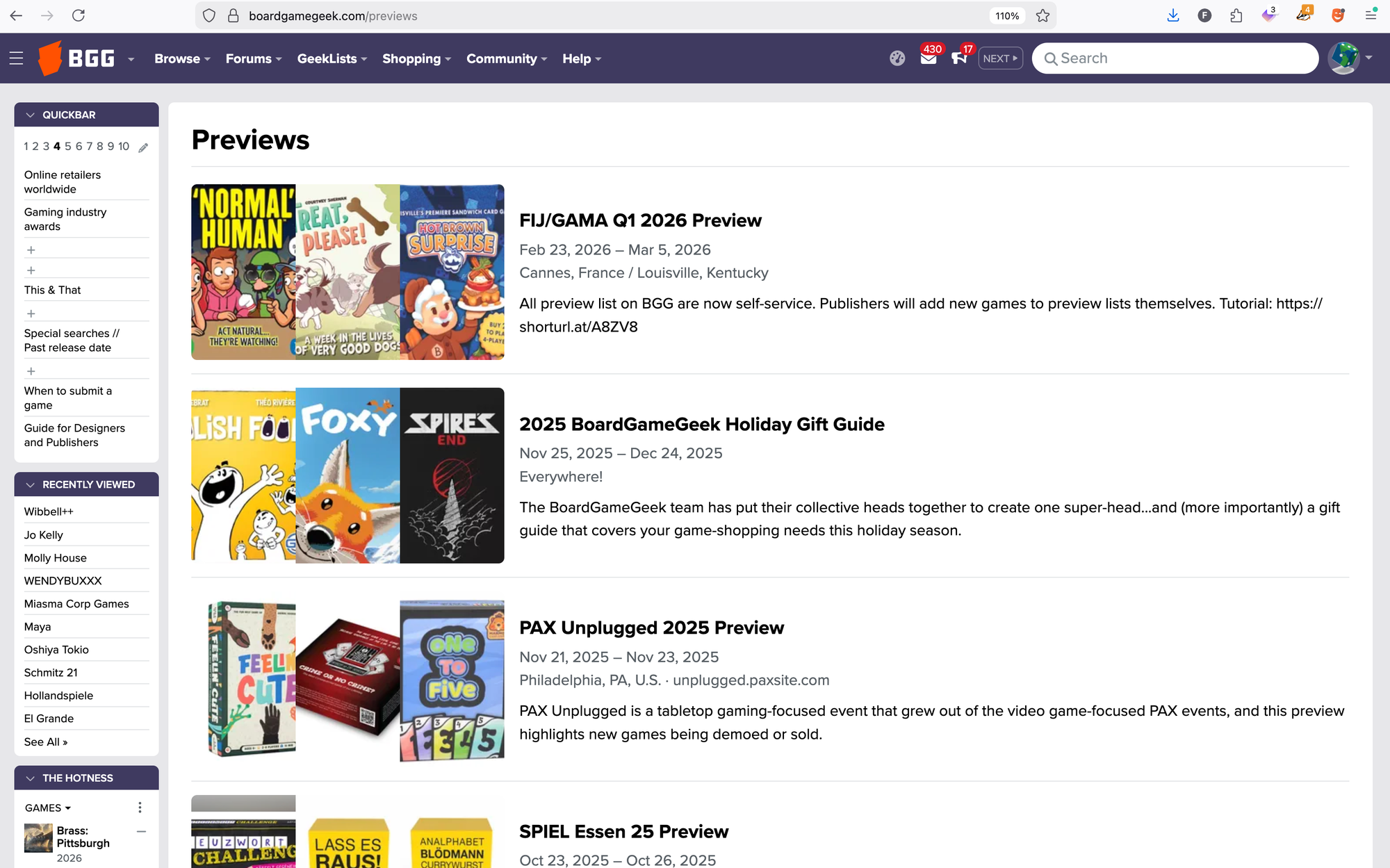
Looking at the FIJ/GAMA Q1 2026 Preview, you can see that the accuracy and completeness of the listings varies depending on the publisher: release dates are outdated or missing; images are missing or cropped in odd ways; sale prices are listed, even though those prices are identical to the MSRP; and booth information is absent, making it unclear whether a publisher will be at GAMA (which is closed to the public) or at FIJ, the annual convention in Cannes, France that is open to all.
All that said, convention previews equal free marketing for new and upcoming games, so you should endeavor to add your games to these lists when relevant. Read this tutorial to see what's involved as you will frequently have to jump through several hoops prior to adding games to a preview, such as submitting a version listing to a game listing, submitting images and linking them to the aforementioned version listing, or correcting version information. (I did a lot of that stuff myself over the years and am glad to no longer feel the pressure to do so. I know people find the convention previews valuable; I just don't want to do them myself.)
The Hotness
One BGG feature that gets a lot of attention is The Hotness, which is the second thing visible on the front page below the featured articles and posts and which has a page of its own that highlights the fifty "hottest" games on the site.
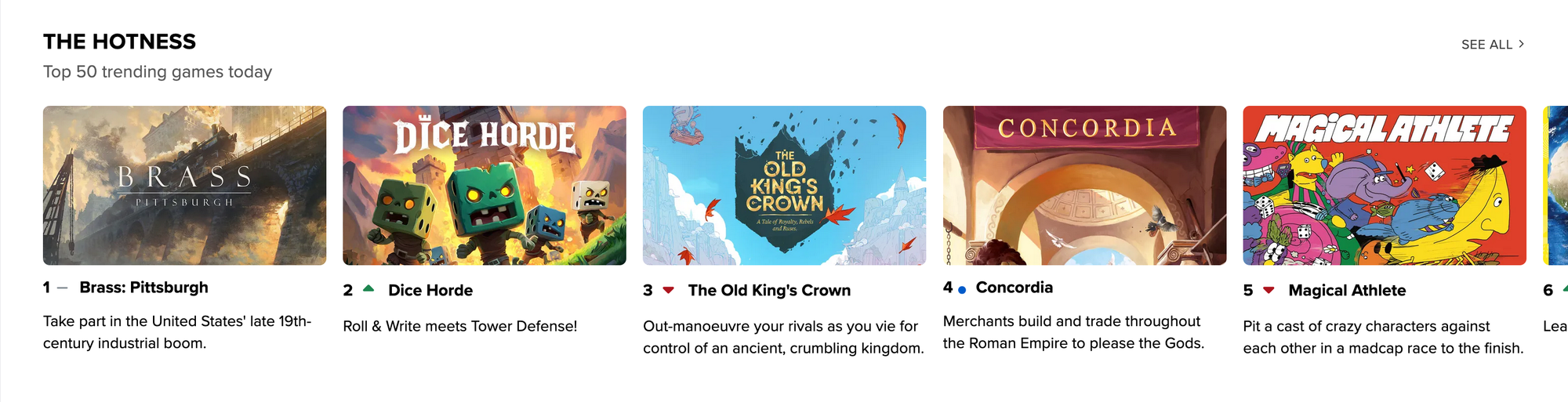
What does "hotness" mean? I never learned this as an employee, but my layman's understanding is that "hotness" is a general gauge of activity for that game listing. Sometimes the reason for this activity is obvious: Brass: Pittsburgh is a sequel to the #1 ranked game on BGG; Dice Horde, The Old King's Crown, and Concordia all have crowdfunding campaigns underway or freshly announced; Magical Athlete was on several "best of the year" lists and has lots of jazzed fans; and Limit (which is barely visible above) was just released on Board Game Arena.
Many users have noted that any game that participates in a sponsored contest on BGG will rise in The Hotness, presumably due to activity on the game listing, which will lead others to wonder "Why is this rising in The Hotness?", then they'll click on the game listing to find out, which will also contribute to that game's "hotness", so perhaps running a contest is one way to rise in the ranks.
I feel like semi-popular games with bad rulebooks will also rise in The Hotness as users head to the game listing to ask one rules question after another about how the game should work. (Magical Athlete might be an example of this phenomenon, with 132 posts in the rules subforum out of 294 forum posts in total.) This isn't an approach you want to take voluntarily, but the opportunity might be there for you.
You can't choose to have your game in The Hotness, but you can take advantage of it being there. Dice Horde, for example, would benefit from having a more interesting short description than "Roll & Write meets Tower Defense!" What a blah nothing of a description compared to the other four shown above. Ideally both your game's short description (as well as its long description) give players a feeling for what the game is like without devolving into a list of mechanisms or a BLARING SALES PITCH! Here is my recommendation for how to approach this task.
Guilds, Podcasts, and Stats
If you click around on the BGG nav bar, you'll find parts of the site that get little attention, such as the guilds. Guilds are started by individual users and are centered on something like a location, an audience, a game, an occupation, and so on. No search system exists for guilds, so the only way to explore them is to click through various categories and see what's there.
To reference my trip to Japan once again, I searched through the guilds to find ones in Japan, reaching out to some people involved in those guilds, but also just getting an idea of what folks were talking about in that part of the world.
BGG has an extensive list of game-related podcasts, and that list is, like the guilds, not searchable, which makes that list far less usable than it could be, but I don't recall seeing a comprehensive list of game-related podcasts elsewhere, so here's a research tool should you be looking to find either listening material or a place where you might be an ideal guest.
BGG has a tiny stats feature that features three clickable categories: top 10s, games played total for the lifetime of BGG (sorted in order by game name), and games played (by month). What hit the tables in the month of February 2026? Check out that page. This information is biased around (1) people who have created BGG accounts and (2) recorded what they have played, but it's better than having no information at all.
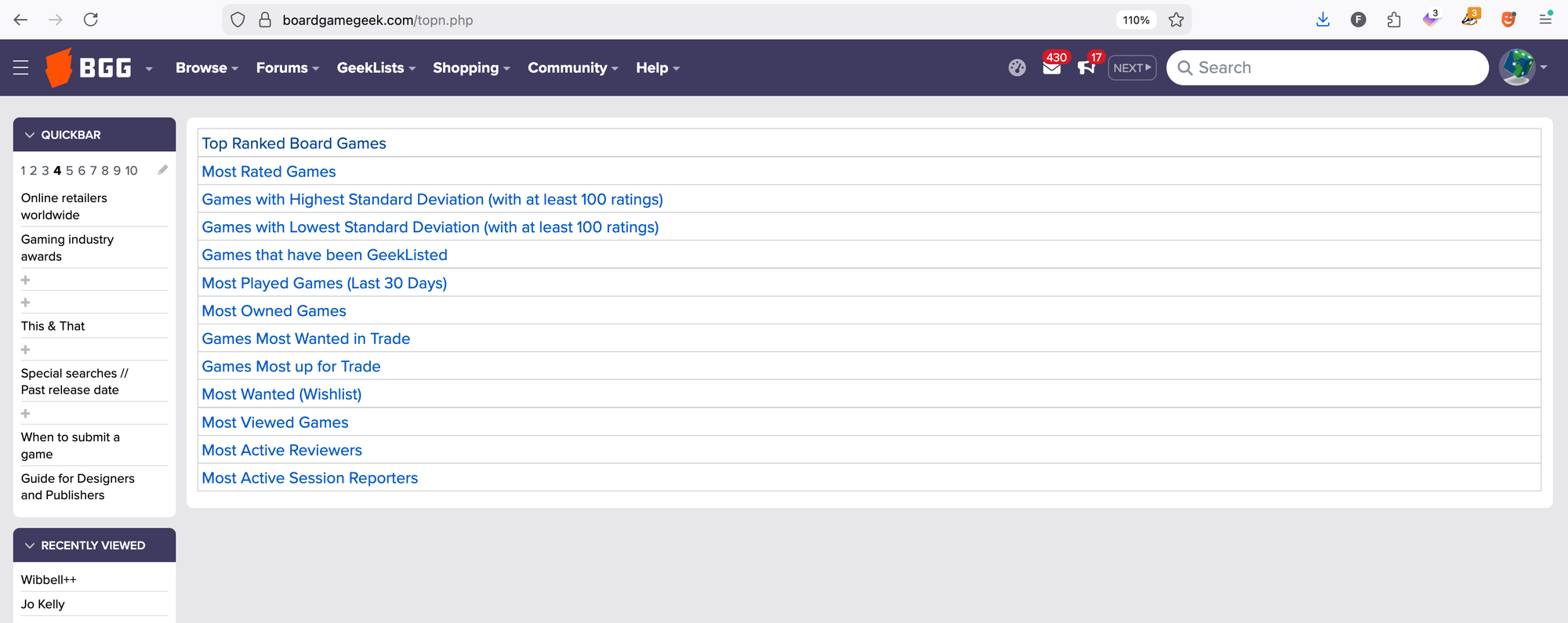
If you click on the top 10s, you'll see the list above, which gives you a few more stats to explore. The #1 game most wanted in trade, for example, is A Feast for Odin. What does that indicate? No idea, but that's fair given that the section is called "Stats" and not "Business advice". Would it surprise you to know that The Game of Life — the eighth worst ranked game on BGG — has the fifteenth most views among all 174,300+ items? I was surprised.
Did you know that BGG has a "find users" function? If you need playtesters for a game you're working on, you could post in the forums in the appropriate places — or you could search for people who live nearby and reach out to them with a personal invitation.
User Badges
Finally, let's look at BGG user accounts, specifically the badges that users can get to identify themselves as creators and publishers.
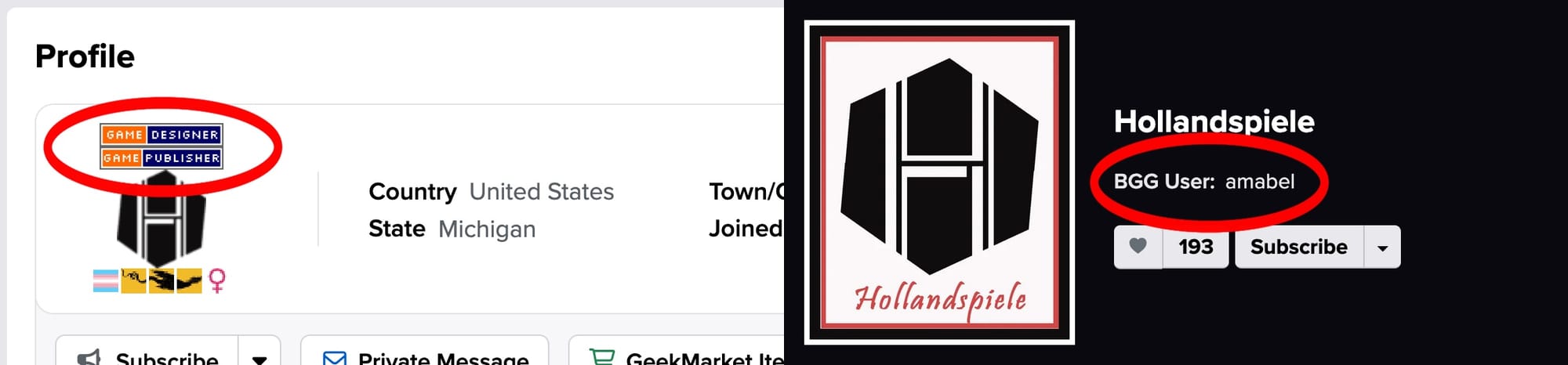
If you represent a game publisher, you can use the contact form at the bottom of any BGG page to write to an admin and request that they add a "Game Publisher" badge to your BGG account. (Be sure to include your BGG username when you write!) When a user clicks on this "Game Publisher" badge, they will go to the publisher page in the BGG database, and that page will show a linked user account, as demonstrated above.
By placing the badge on your account, you get to "officially" represent the publisher on BGG. If you are commenting about a game's release date or clarifying a rule, your status as publisher should give your answers more weight in terms of their authority — assuming you are writing about your own games, of course.
Multiple users can be linked to the same publisher page, but due to quirks in how the BGG system is currently set up, the earliest created user account is the one that will be listed on the publisher page. Maybe this system will change some day, but that's how it worked as of my final day at the company.
The disadvantage of adding a "Game Publisher" badge to your BGG user account is that you risk seeming biased should you write about another company's games. Additionally, should you hire someone as a representative of your company and get a "Game Publisher" badge added to their account, that badge will now appear on everything that person has ever posted on BGG, so even if they never post about other companies in the future, their previous posts are now retroactively representative of your company.
To avoid situations like these, I suggest creating a separate user account on BGG that is named after your company. Place the "Game Publisher" badge on that account, and give access to that account to any employees within your company who will represent your business on BGG.
Designers, artists, and others can also reach out to a BGG admin to request a badge that will link to their creator page in the database, but due to limitations in the current set-up of these badges, they will say "Game Designer" no matter what your actual role is. Yes, ideally those badges would say "Game Creator" and that change should be easy to enact, but here we are.